See expected income and timing
Review projected daily, monthly, and yearly dividend income, payment frequency, yield, and the timing of expected payments.
StockTracker helps dividend investors plan around portfolio income. See projected daily, monthly, and yearly totals, understand payment timing, and manage your positions in a Windows desktop app without creating a StockTracker account or sending your portfolio to an online service.
No subscription. Free updates for free and paid users. Read the documentation. Windows may show a security warning because the installer is not currently code-signed; read the installation guidance before downloading.
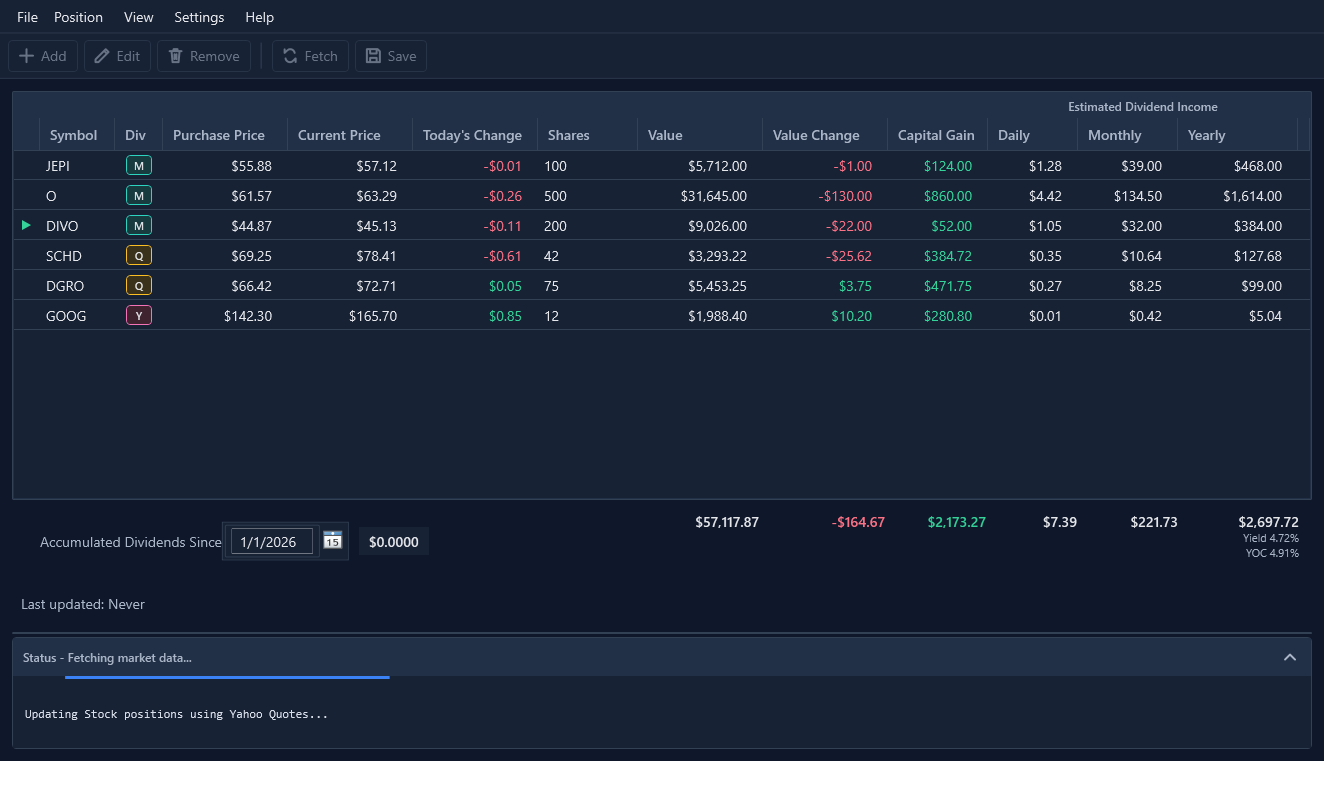
This short walkthrough shows the portfolio view, projected dividend-income chart, and tools for reviewing dividend details.
StockTracker keeps your portfolio files local and does not require a StockTracker account or online portfolio service. It is built to make expected dividend income and payment timing easier to understand.
Review projected daily, monthly, and yearly dividend income, payment frequency, yield, and the timing of expected payments.
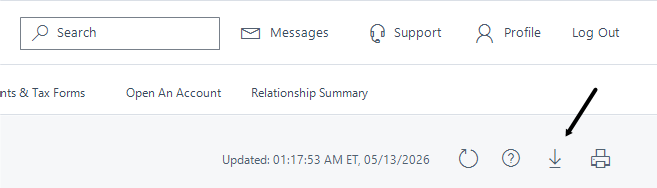
Import a Charles Schwab Positions CSV or map position data from CSV and Excel files. Yahoo Quotes requires no API key; Alpaca and CoinMarketCap use your own credentials.
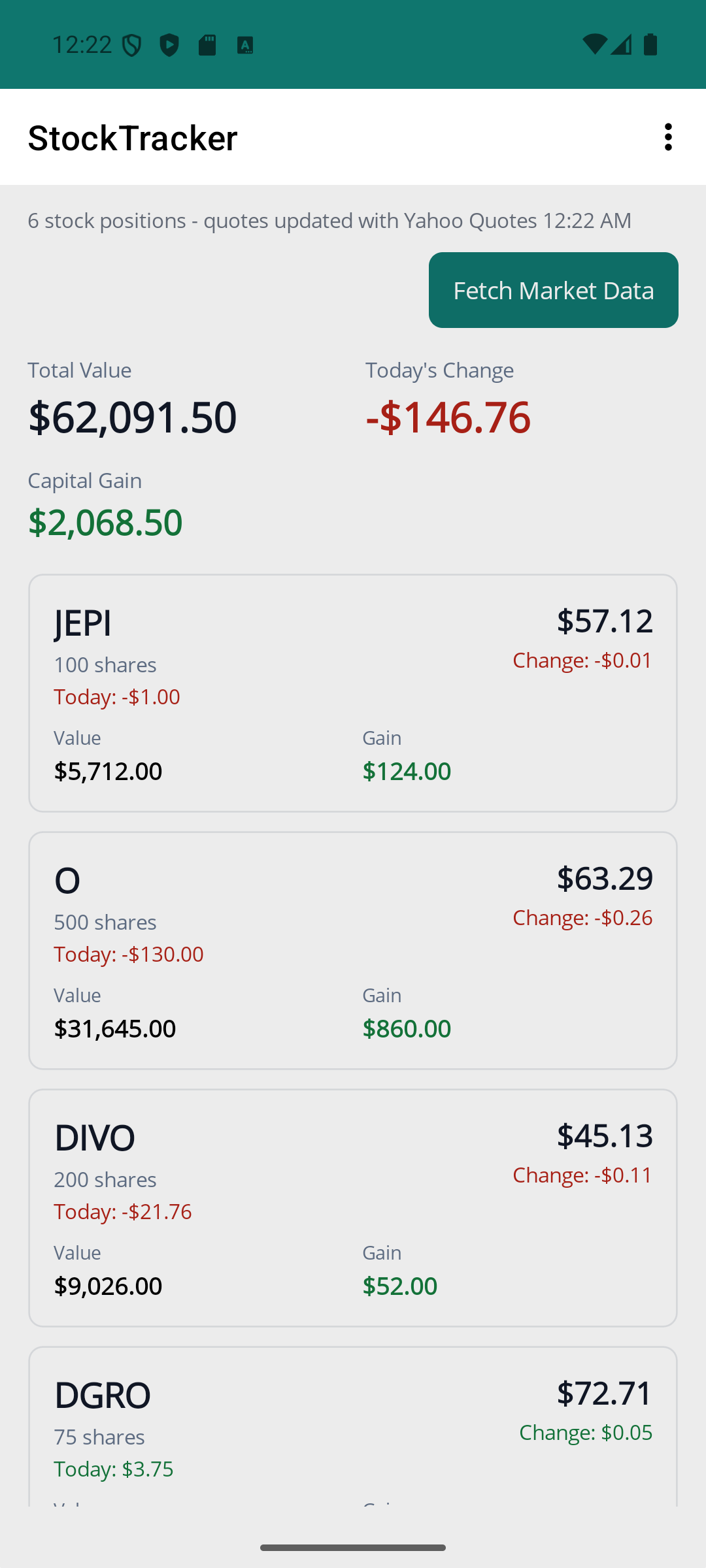
The included Android companion provides read-only phone access to your portfolio. It requires Android 16 or later (API level 36+).
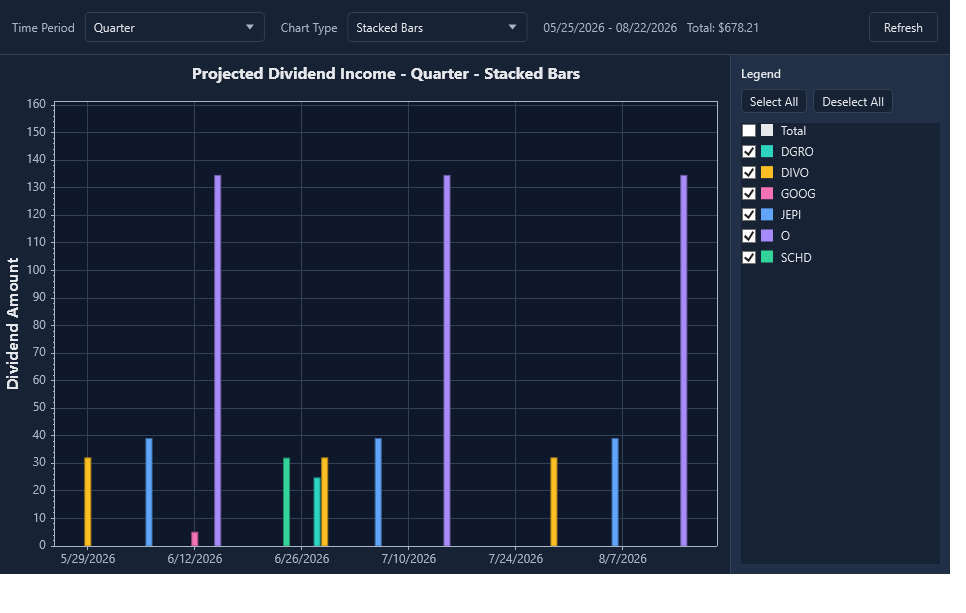
Use the projected dividend-income charts to see which months or quarters contribute to your expected income and to understand the pattern behind the annual total.
StockTracker supports a dedicated Charles Schwab positions export and a read-only Android view for checking your portfolio away from your desk.
The free version supports up to five total positions. Upgrade once when you need unlimited positions.
Upgrade for unlimited positionsStockTracker is designed to be easy to try, clear about its limits, and straightforward to support.
No. StockTracker organizes portfolio information and estimates dividend income. It is not financial, investment, tax, or legal advice.
Free mode supports up to five positions. Market-data fetching is available when the entire portfolio has five or fewer positions. At six or more positions, fetching is disabled until the portfolio is reduced or a license is activated.
Enter the Payhip license key in StockTracker's license or activation dialog. The paid license unlocks unlimited positions.
Payhip provides your license information. Use the key in the Windows app; the included Android companion does not require a separate StockTracker license.
The StockTracker installer is not currently code-signed, so Windows may show “Windows protected your PC” when you open it. This is a publisher-verification warning, not by itself a malware finding. Download only from the official source, then select More info and Run anyway if you choose to continue. Read the full installation guidance.
For detailed setup, imports, quote providers, charts, and Android sharing, read the full StockTracker documentation. View release history.
Explore practical guides about dividend income, payment timing, local portfolio tracking, and the StockTracker features that support them.
See how a local desktop workflow can organize holdings, projected income, payment timing, and portfolio totals.
Understand why annual income can be uneven and how payment schedules create gaps or clusters across the year.
Use a short maintenance routine after buying, selling, or discovering changes to dividend information.
Understand the unsigned-installer warning and the steps to take when Windows shows SmartScreen during installation.
StockTracker is built for a clear, practical view of the portfolio you actually own. It is tracking software, not financial advice.
Before installing, read the Windows installation and SmartScreen guidance.