How to Track Multiple Brokerage Accounts without an Online Aggregator
Use local portfolio files and supported imports to bring your accounts together without creating an online portfolio account.
People often end up with more than one investment account: a workplace account, an individual brokerage account, an IRA, or an account at a second provider. An online aggregator can be convenient, but it also introduces another account, another connection, and another place where portfolio information is handled.
A local-first workflow takes a different approach. Export current positions from each account, import them into a desktop tracker, and decide whether you want separate views or one combined planning portfolio.
Choose separate files or one combined view
Separate portfolio files
Use one file for each brokerage account when you want to see account-level values, cost basis, and projected income independently. This can make reconciliation easier and keeps the source of each holding obvious.
A combined planning portfolio
Use one portfolio when your main question is how all of your accounts contribute to total household income. You can import one account, then merge additional positions or add them manually. Keep your original exports as source records so you can compare the combined file with the accounts later.
Use the import format that matches the account
StockTracker supports a dedicated Charles Schwab Positions CSV, plus general mapped position files in CSV and Excel .xlsx format. For a general spreadsheet, include recognizable columns such as symbol and shares, then review the detected mappings during import.
Use a positions or holdings export rather than a transaction history, statement, or tax document. Those files answer different questions and may not contain the current position structure needed for a portfolio import.
Review duplicates before merging
If the same symbol appears in more than one account, decide what you want the combined view to represent. Merging can be useful for total household income, but review share quantities and cost basis so the result matches your intended view.
After a merge, compare the total shares for important positions with the source exports. If the same holding appears in two accounts, the combined total should reflect both accounts without accidentally importing one file twice.
Keep the local files current
A local tracker does not automatically know when you buy or sell shares. Export or update the relevant portfolio after trades, then review share count, cost basis, dividend information, and payment timing. Save a backup before replacing a file through a new import.
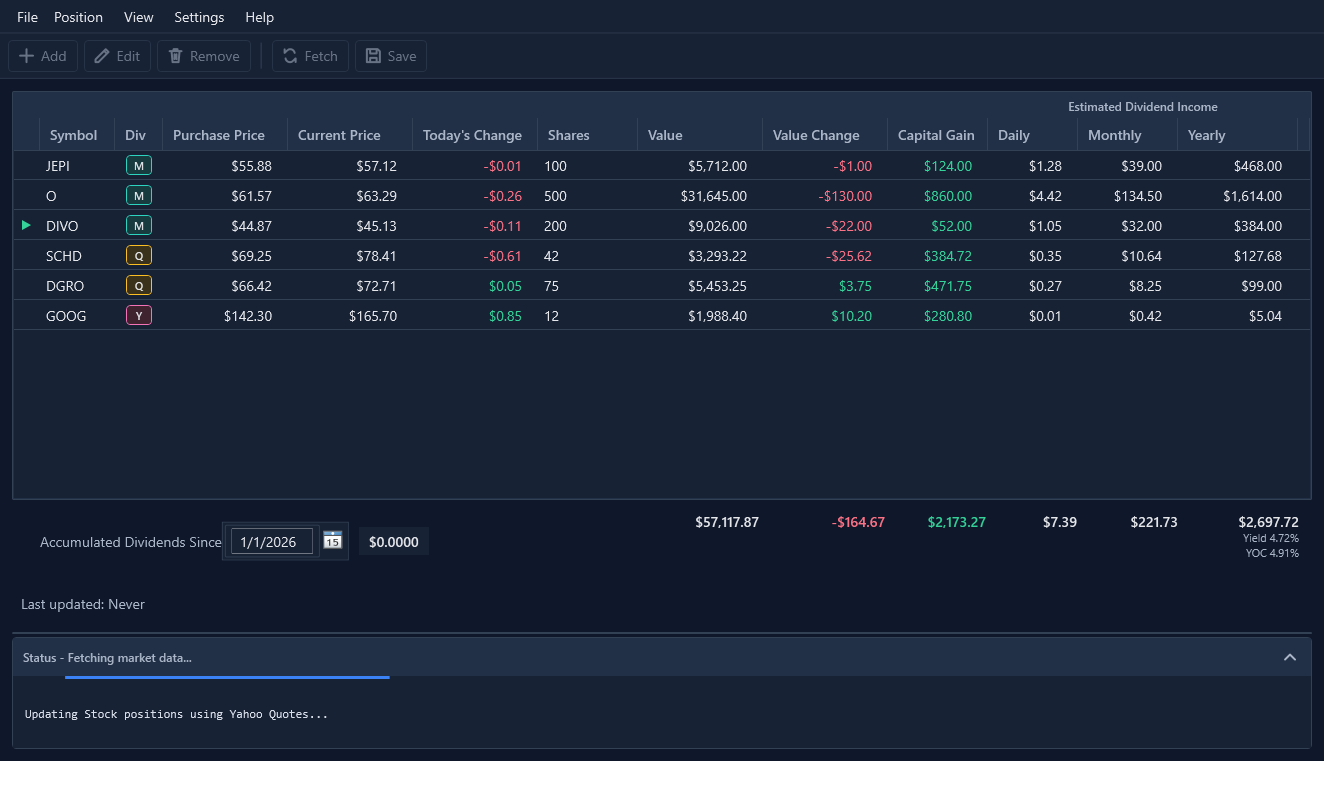
What stays local—and what still uses the internet?
StockTracker portfolio files are stored locally on your computer, and no StockTracker account is required. You choose where to save the files and how to back them up.
Internet access is still needed for supported market-data quote refreshes and update checks or downloads. Provider credentials, when required, are stored on the device and are not written into portfolio files.
A practical multi-account routine
- Export current positions from each brokerage account.
- Keep the original exports in a dated local folder.
- Update separate portfolio files or merge into a combined planning file.
- Review duplicates, share quantities, and cost basis.
- Complete dividend amounts and payment schedules.
- Refresh quotes and review the combined income calendar.
Bring your accounts into one local income view
Try StockTracker with a small portfolio, then use the paid unlimited-position version when you are ready to include more holdings.
Try StockTracker free Buy the full versionThe Windows installer is not currently code-signed. Read the installation guidance before opening it.