How to Import Charles Schwab Positions into a Dividend Tracker
Move your current Schwab holdings into a local Windows dividend tracker without retyping every symbol and share quantity.
If your portfolio is already at Charles Schwab, the fastest way to get started with a dividend tracker is usually to export your current positions and import that file. StockTracker has a dedicated importer for the Charles Schwab Positions CSV, so you can begin with the holdings you already own and then fill in the dividend details needed for income estimates.
1. Open the Positions page at Schwab
- Sign in to Schwab on the web.
- Open Accounts > Positions.
- Select the account you want to bring into StockTracker.
- Use the export control in the Positions page toolbar.
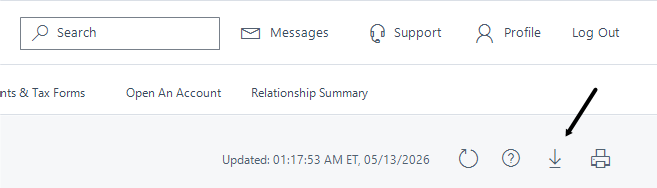
Save the exported CSV somewhere easy to find. Keeping the file on your computer also gives you a local copy of the source data you used for the import.
2. Import the CSV into StockTracker
- Open StockTracker on Windows.
- Choose File > Import Positions.
- Select the Charles Schwab Positions CSV import source.
- Choose whether to replace the current portfolio or merge the imported positions into it.
- Review the imported holdings and save the portfolio.
The dedicated importer is intended for current positions. It is not a historical transaction importer, so it does not reconstruct every purchase or sale in your account history.
3. Review the imported portfolio
After importing, check the symbols, share quantities, purchase information, and asset types. Correct any missing or unusual values before relying on the calculated totals. You can also save each brokerage account as a separate portfolio file if you prefer to keep them distinct.
StockTracker stores portfolio files locally on your computer and does not require a StockTracker account. You can also use a general CSV or Excel .xlsx import when your file does not match the dedicated Schwab format; those imports use a mapping step to identify columns such as symbol and shares.
4. Complete the dividend information
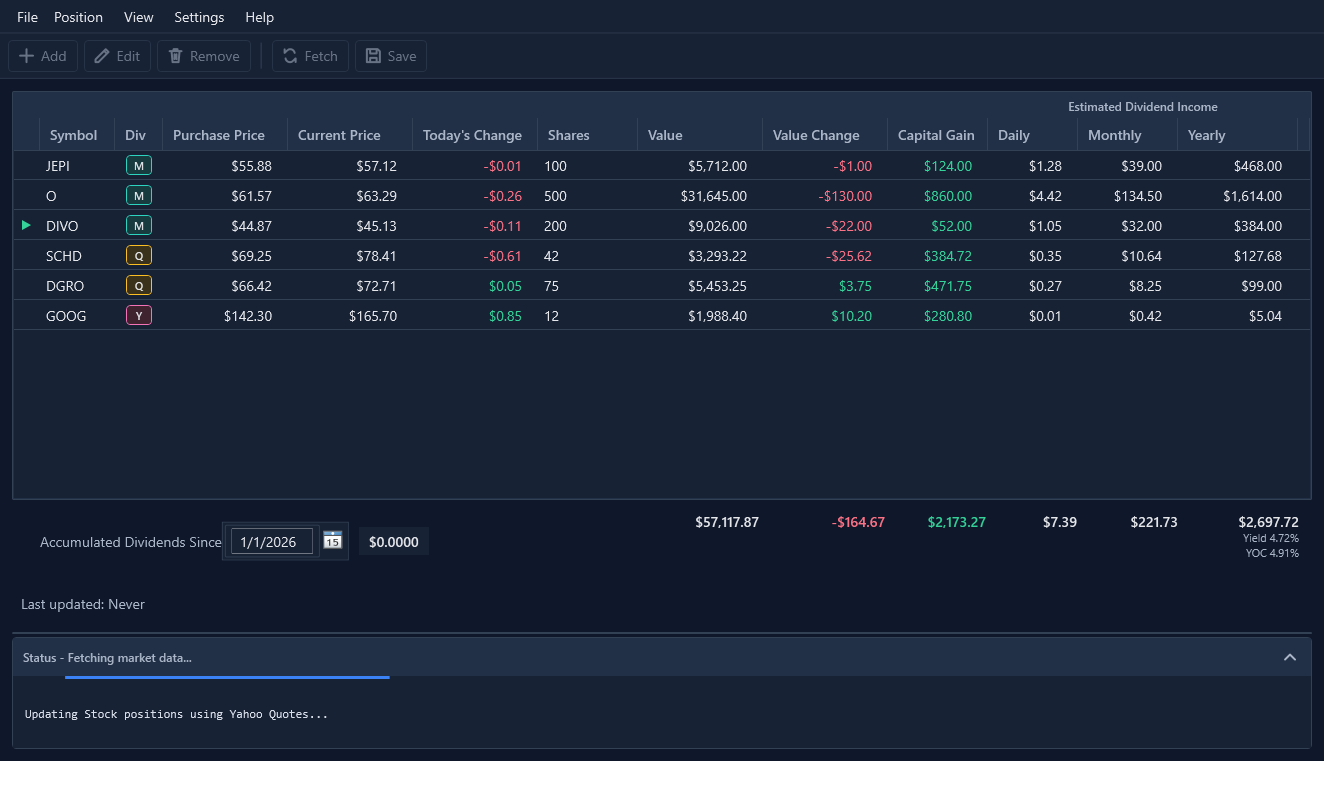
A position import gives you the holdings, but projected dividend income also depends on dividend amount, frequency, and estimated payment timing. Review the imported positions and add or correct those details where necessary. Once the information is complete, the portfolio table can show estimated daily, monthly, and yearly income alongside value and gains.
Common import questions
Can I import more than one Schwab account?
Yes. Export and import each account separately, or use the import options to replace or merge positions according to how you want the portfolio represented.
Can I import a Schwab transaction history instead?
The dedicated importer is for the Schwab Positions CSV. A transaction history or statement has a different structure. If you have a general position file with recognizable symbol and share columns, try the mapped CSV or Excel import instead.
Do I need a quote-provider API key?
Not necessarily. Yahoo Quotes can be used without an API key. Alpaca Markets and CoinMarketCap require your own provider credentials. Quote refreshes require an internet connection.
Start with your current Schwab positions
Try StockTracker free with up to five positions, then upgrade once when you need unlimited positions.
Try StockTracker free Buy the full versionThe Windows installer is not currently code-signed. Read the installation guidance before opening it.