Write a GScript program
Use a compact Turtle Graphics-inspired language to describe movement and laser commands.
GScript Studio is a small Windows desktop app for creating script-drawn vector images and laser jobs for the xTool D1 Pro. It is for patterns and images that are easier to express in code than to draw in a graphics editor.
A niche companion for code-based designs—not a replacement for general laser-design software.
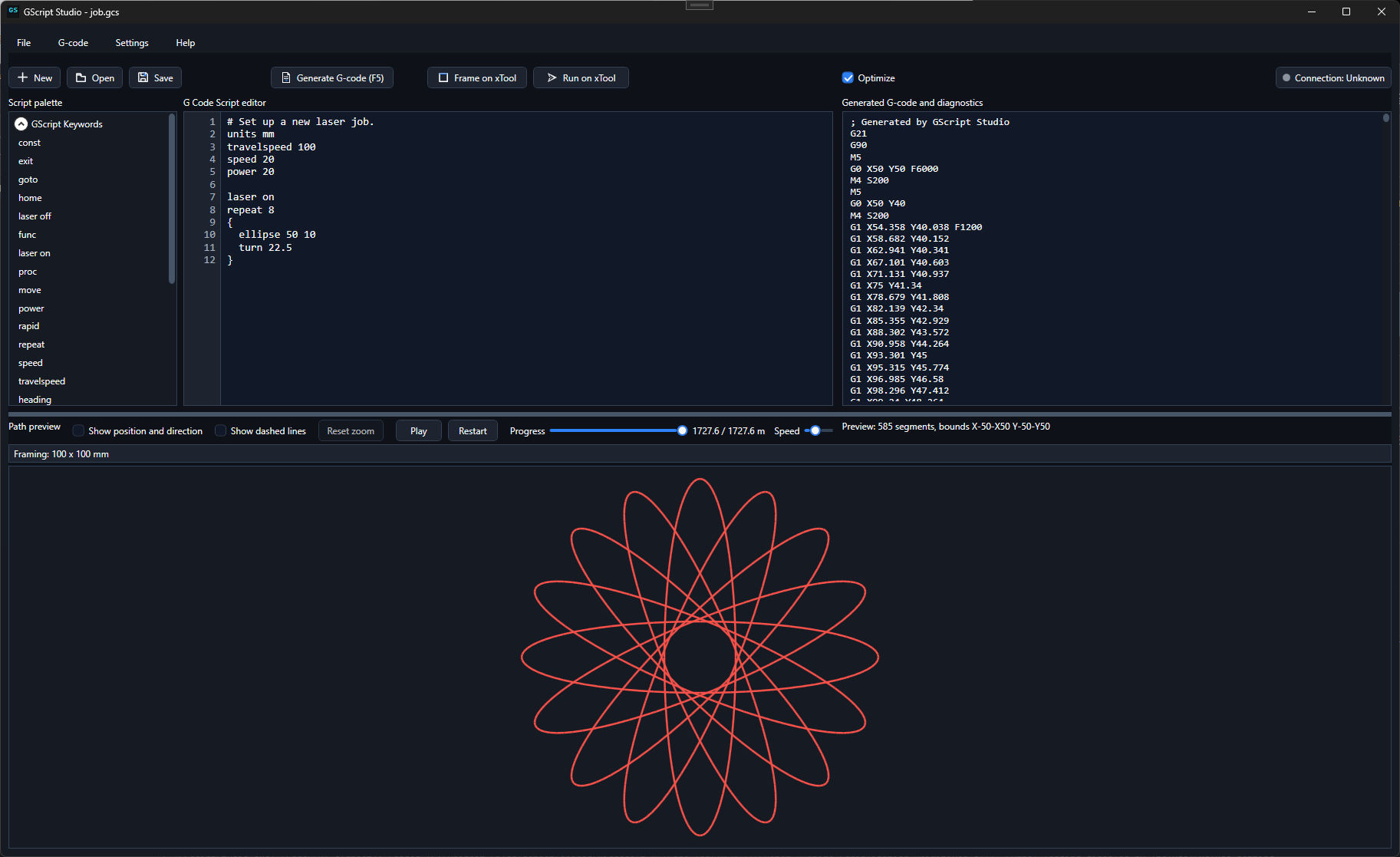
GScript is a simple scripting language inspired by old-school Turtle Graphics programming. Instead of drawing a path manually, you write instructions that describe its movement, repetition, and laser behavior.
It is useful for geometric, procedural, and repeated designs: the kinds of images where a few lines of code can be a more natural starting point than a canvas.
GScript Studio is deliberately narrow in scope. It gives a code-based way to create a vector path, inspect it, and choose where it goes next.
Use a compact Turtle Graphics-inspired language to describe movement and laser commands.
Preview the vector path and inspect the generated GRBL commands before using the design.
Save the vector image for another application, or send the compiled GRBL commands directly to an xTool D1 Pro.
GScript Studio is not intended to replace broad-purpose design and laser applications such as xTool Studio or LightBurn. Use those tools for their broader drawing, layout, and machine workflows; use GScript when a design is better expressed as a program.
Build vector images from instructions, repetition, and parameters rather than only from hand-drawn shapes.
Keep a design as a script so you can revisit it, adjust values, and generate related variations.
Save generated vector images for use in xTool Studio, LightBurn, or another application that fits the rest of the job.
Compile the job to GRBL commands and send it directly to an xTool D1 Pro when that is the right path.
Download GScript Studio if you want to explore vector designs that are more natural to write as code.
Download GScript Studio for Windows